






Customer Service Chatbot: Implementation Guide 2026
How to implement a customer service chatbot in 2026: use cases, implementation steps, common mistakes and the evolution towards AI agents.
 Víctor Mollá7 min read
Updated: June 14, 2026

A customer service chatbot is no longer an experiment. It's infrastructure. According to Zendesk, 67% of consumers prefer to resolve their doubts through self-service rather than talk to a human agent. That data isn't a passing trend --it's a structural change in customer expectations--. Companies that don't offer immediate responses are losing conversion and loyalty opportunities every day.
The value proposition is direct: 24/7 availability without additional cost for night shifts, reduction of wait times from minutes to seconds, absolute consistency in responses --a chatbot doesn't have a bad day or forget the protocol-- and scalability without linear cost. While a human team needs to hire proportionally to query volume, a support chatbot absorbs demand peaks without blinking. Black Friday, product launches, massive incidents: the chatbot maintains service level while the human team concentrates on cases that truly require judgment.
This doesn't mean replacing people. It means stopping wasting human talent on answering for the twentieth time how long shipping takes. If you want to understand the complete ecosystem, start with our business chatbots guide.
5 use cases in customer support
1. automatic FAQs
The most immediate use case with the highest return. A well-configured customer service chatbot resolves between 60% and 80% of repetitive queries: hours, return policies, account status, documentation requirements. Each automatically resolved query is one less ticket for your team and a customer who gets an answer in seconds, not hours.
2. intelligent triage and routing
Not all queries are equal. A chatbot with classification capability analyzes message content, determines urgency and topic, and routes to the appropriate department or agent. A customer who writes "I can't access my account" goes to technical support; one who asks "I want to upgrade my plan" goes to sales. The difference between manual triage and automated is speed: from minutes to milliseconds.
3. order and shipment tracking
Integration with ERP and CRM allows the chatbot to query in real-time order status, estimated delivery date, or tracking number. Without any human agent having to open three different systems to copy and paste information. It's the most frequent query in ecommerce and the easiest to automate. To understand how these integrations work in a contact center, check our dedicated guide.
4. Post-Service satisfaction surveys
Automatic CSAT is another high-impact use case. At the end of each interaction, the chatbot launches a brief survey --two or three questions-- that measures satisfaction without depending on the agent remembering to send it. Response rates multiply because the survey arrives in the same channel and moment, not as an email nobody opens three days later.
5. new customer onboarding
Turn customer support into loyalty and referrals with GuruSup
Soporte con IA que escala sin perder cercanía. Demo de 20 min.
Guided tutorials, assisted initial setup, answering first-step questions. An onboarding chatbot reduces friction in the first weeks --the critical period where most customers abandon a product--. This connects directly with a solid customer success strategy: retain from day one.
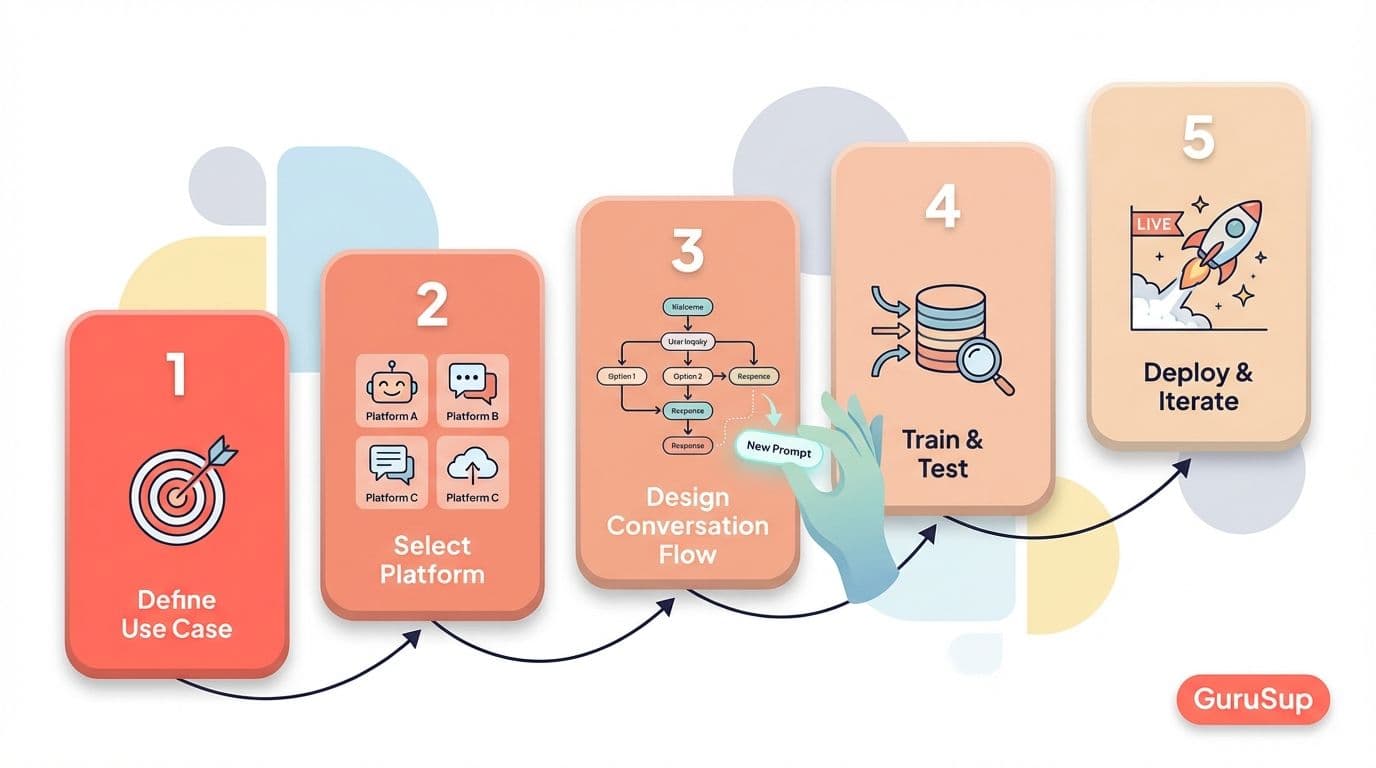
How to implement a support chatbot: 5 steps
Step 1: identify repetitive queries
Before choosing a tool, analyze your support tickets from the last 3-6 months. Classify them by topic and frequency. You'll discover that 20% of query types generate 80% of volume. Those are your candidates for automation.
Step 2: choose the platform
Not all platforms are equal. Evaluate integration with your existing stack (CRM, messaging channel, database), natural language processing capability, and pricing model. If your main channel is WhatsApp Business, make sure the platform natively supports the WhatsApp Business API. Check our WhatsApp chatbot comparison.
Step 3: design conversation flows
Map each query as a decision tree. Define responses for each branch, escalation points to human, and fallback messages when the chatbot doesn't understand the intent. A well-designed flow is invisible: the user feels they're conversing, not navigating a menu.
Step 4: train with real data
Use real historical tickets as training data. Language variations, spelling errors, colloquial forms --all that should be in your dataset--. A chatbot trained with perfect lab phrases fails when a customer writes "wanna return thisss".
Step 5: measure and optimize
Three metrics define success. Autonomous resolution rate: percentage of queries resolved without human intervention. CSAT post-chatbot: user satisfaction after automated interaction. Deflection Rate: percentage of queries the chatbot diverted from the human team. If these metrics don't improve month over month, something is failing in flows or training. For more context on support metrics, review contact center KPIs.
Common mistakes when implementing a customer service chatbot
Better customer support starts with GuruSup
Soporte con IA que escala sin perder cercanía. Demo de 20 min.
The first mistake --and the most serious-- is not having human escalation. A chatbot that traps the user in a loop with no exit generates more frustration than having no chatbot. Always, in every flow, the option to talk to a person must exist. No exceptions.
The second is designing flows that are too rigid. If the chatbot only works when the user follows the exact planned path, it will fail with the first variation. Chatbots with conversational AI based on LLM reduce this problem, but you still need to contemplate edge scenarios.
The third: not updating the knowledge base. Your product changes, your policies change, your prices change. If the chatbot keeps responding with information from six months ago, you're providing worse service than providing none. Establish a monthly review cycle at minimum.
The fourth: ignoring user feedback. Every "this didn't help me" and every "I want to talk to a human" is data. If you don't analyze it systematically, you're flying blind. Modern support automation tools include integrated feedback dashboards --use them--.
The future: from chatbot to AI agent
Chatbots are evolving towards something more powerful: AI agents. The difference is fundamental. A chatbot answers questions. An AI Agent executes actions. Queries a database, processes a refund, schedules an appointment, modifies a reservation --all within the same conversation, without routing to a human--.
This transition is happening now. Latest generation language models, combined with tool calling capabilities and access to external APIs, allow an AI agent not only to understand what the customer wants, but to do it. The result is a qualitative leap in experience: from "I'll inform you" to "I'll resolve it for you". To dive deeper into this evolution, check our AI agents guide and the comparison between AI chatbot technologies.
To see how this evolution applies to your operation in practice, explore GuruSup's customer service AI chatbot, a production-ready solution with autonomous resolution above 80%.
Frequently asked questions
How much does a support chatbot reduce costs?
It depends on the volume and complexity of your queries, but mature implementations report 40% to 60% reductions in cost per contact. The Deflection Rate --queries resolved without human-- is the key indicator.
Does the chatbot replace the human agent?
No. The chatbot eliminates repetitive queries so human agents can dedicate themselves to complex cases, consultative sales, and situations requiring empathy. It's complementary, not substitutive.
What channel is best for a support chatbot?
It depends on your audience. In Spain, WhatsApp Business dominates for B2C communication. For B2B and SaaS, web chat integrated in the platform is usually more effective. The ideal is a multichannel approach with a single AI engine behind it.
For a closer look at the practical implementation, check out our AI chatbot solution for customer support with native integration on WhatsApp, Instagram, and email.
GuruSup resolves 80% of support queries with AI agents on WhatsApp --no code, with direct CRM integration and transparent escalation to the human team--. .
![Business Chatbots: Complete Guide to Automate Your Customer Service [2026]](/_next/image?url=https%3A%2F%2Fres.cloudinary.com%2Fdhqzl4gpk%2Fimage%2Fupload%2Fv1771362282%2Ffeatured_chatbot_empresas_81bc27942f.jpg&w=3840&q=75)
