






How to Create a Chatbot: Step-by-Step Tutorial [No Coding]
Learn how to create a chatbot step by step without coding: define use cases, choose platform, design flows, train with data and launch. 2026 practical tutorial.
 Víctor Mollá7 min read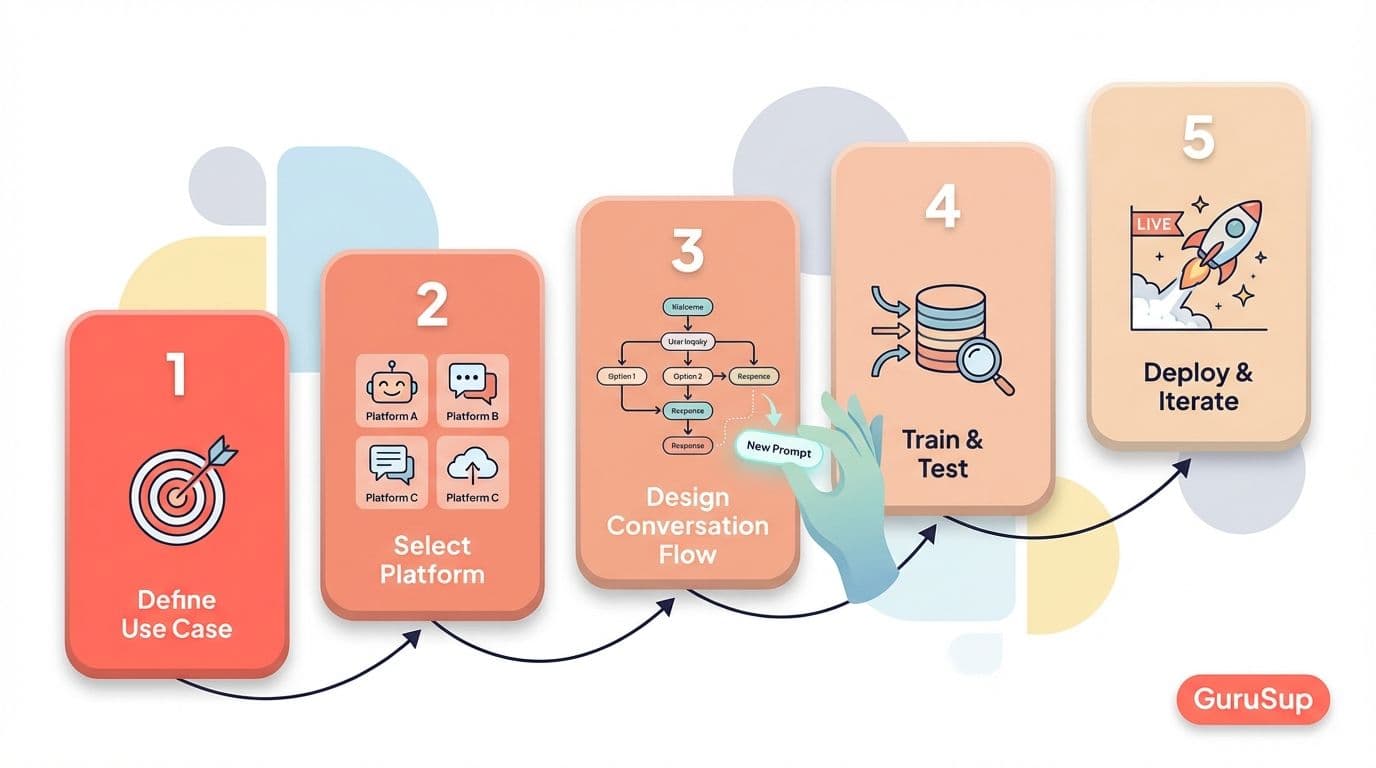
Creating a chatbot in 2026 doesn't require writing a single line of code. Current platforms allow designing conversational flows, connecting channels like WhatsApp or web, and integrating artificial intelligence in a matter of hours. But technical ease doesn't eliminate the need to plan well. Most chatbots that fail don't fail because of technology --they fail because no one properly defined what problem they should solve--.
In this tutorial we walk through the five steps that separate a vague idea from a functional chatbot in production. From defining use cases to optimization with real data. If you need context about the complete business chatbot ecosystem, start with our business chatbots guide.
Prerequisites
Before touching any tool, you need to answer four fundamental questions.
First: objective. A customer support chatbot and a lead generation one have completely different flows, metrics, and tone. Define whether your chatbot will resolve frequent queries, qualify sales opportunities, schedule appointments, or manage orders. A single clear objective, not "do everything".
Second: channel. Each channel has its technical restrictions and user expectations vary. A chatbot on your website can use buttons, carousels, and images. A WhatsApp chatbot is limited to text, lists, and quick buttons, but has 95% open rates.
Third: budget. There are free options with limitations and paid plans that scale with volume. Know how much you can invest before falling in love with a platform you can't afford.
Fourth: technical level of the team. No-code platforms cover 80% of use cases without needing a developer. But if your chatbot needs complex integrations with internal systems, evaluate whether you need technical support.
Step 1: define use cases
This step determines the success or failure of the entire project. A chatbot without well-defined use cases is a form with pretensions.
Start by analyzing your real data. Review the last 500 support tickets, emails, or customer messages. Classify them by topic and frequency. You'll discover that the 80/20 rule almost always holds: 80% of queries concentrate on 5-8 repetitive topics. Order status, schedules, return policies, product availability, personal data changes. Those are the queries your chatbot should resolve from day one.
For each use case, map it as a conversation flow: what the user asks, what information the chatbot needs to respond, what data it must consult, and what response it returns. Also document escalation points: situations where the chatbot should transfer the conversation to a human agent. Sensitive complaints, out-of-catalog requests, or users showing frustration are clear signs that a human should intervene. If you want to dive deeper into support-oriented implementation, check our guide on customer service chatbot.
Turn customer support into loyalty and referrals with GuruSup
Soporte con IA que escala sin perder cercanía. Demo de 20 min.
Step 2: choose the platform
The platform defines the limits of what your chatbot can do. Choose based on your use case, not which one has the prettiest landing page.
| If you need... | Platform | Cost |
|---|---|---|
| No-code web chatbot | Tidio, Landbot | Freemium |
| WhatsApp chatbot | ManyChat, GuruSup | Freemium - Paid |
| Advanced AI chatbot | Botpress, Voiceflow | Freemium |
| Enterprise chatbot | Dialogflow CX, Rasa | Medium - High |
| Autonomous AI agent | GuruSup, CrewAI | Paid |
For simple web chatbots with flows based on buttons and predefined responses, Tidio and Landbot allow launching in a couple of hours with drag-and-drop visual editors. If your main channel is WhatsApp, ManyChat covers basic automations and GuruSup adds artificial intelligence with RAG over your knowledge base.
If you need a chatbot with generative AI that understands natural language and generates dynamic responses, Botpress and Voiceflow offer visual editors combined with language models. For enterprise deployments with compliance requirements and high volumes, Google's Dialogflow CX and Rasa (open-source) offer total control over infrastructure. If you're looking to go beyond the traditional chatbot and deploy an autonomous AI agent, GuruSup and CrewAI allow creating systems that not only respond but execute actions.
For options without initial cost, we have a dedicated guide on free chatbot.
Step 3: design conversation flows
A well-designed chatbot feels like a natural conversation, not like a phone IVR with endless menus.
Everything starts with the welcome message: the first message the user sees. It should introduce the chatbot, set expectations ("I'm the virtual assistant of [company], I can help you with orders, returns, and frequent questions"), and offer clear options. Don't leave an open text field without context --the user won't know what they can ask--.
From the welcome message, design a main menu with 3-5 options covering your main use cases. Each option branches into a specific flow with follow-up questions to collect necessary information. Practical example for e-commerce: the user selects "My order status", the chatbot asks for the order number or associated email, queries the management system API, and returns the information in real-time.
Two flows you can't forget. The fallback: when the chatbot doesn't understand a message, it shouldn't stay silent or repeat "I didn't understand you" in a loop. A good fallback reformulates the question, offers alternative options, and after two failed attempts, offers escalation to a human. Human escalation: a clean transfer where the human agent receives the complete conversation context, not an empty ticket.
Step 4: train with data
Better customer support starts with GuruSup
Soporte con IA que escala sin perder cercanía. Demo de 20 min.
Training varies depending on the type of chatbot you've chosen.
If you use a chatbot with generative AI and RAG (Retrieval-Augmented Generation), training consists of uploading your knowledge base: FAQ, product documentation, service conditions, user guides. The platform indexes these documents, converts them to vector embeddings, and the chatbot queries them every time a user asks a question. The more complete and updated your documentation, the better the responses. With GuruSup, this process reduces to uploading documents and the system handles the rest.
If you use a rule-based chatbot, training is manual: you must create intents (user intentions), associate phrase variations to each intent, and write corresponding responses. The "return" intent must recognize "I want to return", "how do I make a return", "return policy", and dozens more variants.
In both cases, testing with real users is essential before general launch. Select a group of 10-20 people to simulate real conversations and document every point where the chatbot fails or confuses. Those failures are your improvement map for the first iteration.
Step 5: launch and optimize
The launch isn't the end. It's the beginning of the improvement cycle.
Set up a dashboard with metrics that really matter. Autonomous resolution rate: percentage of conversations the chatbot resolves without human intervention --minimum target 60%--. Abandonment rate: percentage of users abandoning conversation before getting a response. CSAT (Customer Satisfaction Score): direct user rating at interaction end. Average resolution time: how long the chatbot takes to close a query.
Review these metrics weekly. Identify flows with highest abandonment and redesign them. Do A/B testing with message variations: change tone, response length, menu option order. Small changes in welcome message wording can improve engagement rate by 15-20%. If you want to leap from chatbot to autonomous AI agent, the optimization process is similar but with more advanced traceability tools.
Frequently asked questions
How long does it take to create a chatbot?
A basic chatbot with predefined flows can be operational in 2-4 hours with no-code platforms. An AI chatbot trained on your knowledge base requires 1-3 days for initial configuration, plus 2-4 weeks of optimization with real data.
Do I need to know how to code?
No. Current platforms like Tidio, Landbot, ManyChat, or GuruSup offer visual editors requiring no technical knowledge. You'll only need a developer if you want custom integrations with internal systems.
Can I create a chatbot for free?
Yes. Most platforms offer free plans with volume or functionality limitations. Check our free chatbot guide to compare options. For WhatsApp specifically, review possibilities with the WhatsApp Business API.
With GuruSup, create your AI agent for WhatsApp in minutes --just upload your knowledge base and the system handles training, responding, and escalating when necessary--.
![Business Chatbots: Complete Guide to Automate Your Customer Service [2026]](/_next/image?url=https%3A%2F%2Fres.cloudinary.com%2Fdhqzl4gpk%2Fimage%2Fupload%2Fv1771362282%2Ffeatured_chatbot_empresas_81bc27942f.jpg&w=3840&q=75)

