Back to blogAI Agents

How to Create an AI Agent Step by Step: Practical Guide [2026]

Cómo crear un agente IA paso a paso: los 5 pasos desde el objetivo hasta las pruebas

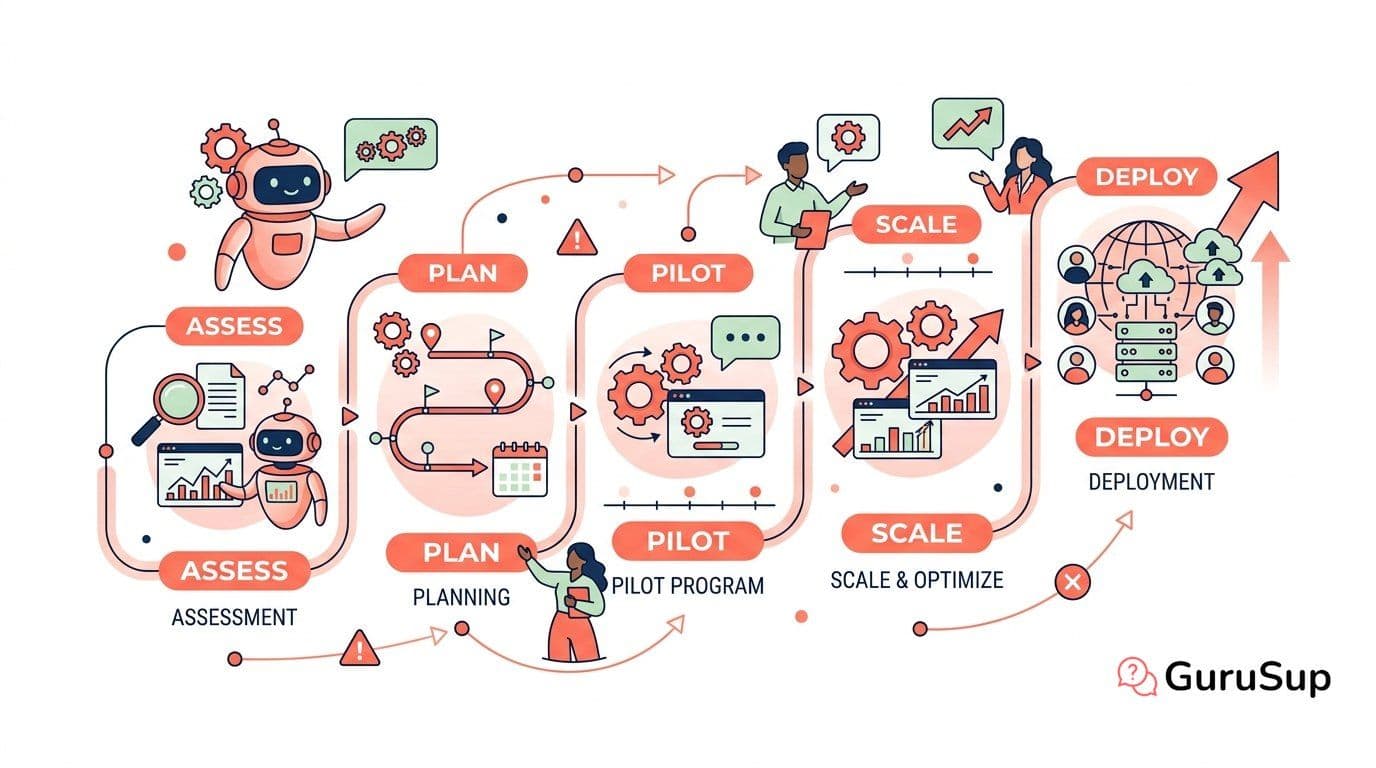
Creating an AI agent no longer requires a machine learning engineering team or months of development. In 2026 there are three clear paths: no-code platforms like OpenAI's GPTs, low-code tools like n8n, and code frameworks like LangChain. The path you choose depends on your use case, your team, and the level of control you need. What doesn't change is the process: five steps that separate a failing prototype from the AI agent that actually solves problems in production. In this guide we walk through them one by one with concrete decisions, not abstract theory. If you first need to understand what an agent is and how it works, check our complete AI agents guide.

Step 1: Define the Objective and Use Case

This is the step everyone skips and why 80% of agent projects fail. An AI agent can't "do everything". It needs a concrete, measurable objective with clear limits.

Correct example: "Manage level 1 queries about order status and returns on WhatsApp, resolving at least 60% of tickets without human intervention". Incorrect example: "An agent that serves customers".

Before touching any tool, document four elements. First, the specific use case: what type of queries it will resolve, on which channel, and for which customer segment. Second, success KPIs: autonomous resolution rate, average response time, CSAT score. Third, the tools it will need: order API, CRM, knowledge base, payment gateway. Fourth, autonomy limits: what it can do alone (check statuses, answer FAQs) and what it must escalate to a human (refunds above a certain amount, legal claims, VIP customers).

This document is your design contract. Every subsequent decision is validated against it. Without this step, you'll build an agent that "works in the demo" and crumbles with real users. Dive deeper into fundamentals in what is an AI agent.

Step 2: Choose the Base LLM

The LLM is your agent's reasoning engine. The choice directly impacts response quality, cost per query, and available technical capabilities.

GPT-4o from OpenAI offers the best performance/cost balance for most production use cases, with robust native function calling and a wide context window. Claude from Anthropic excels in tasks requiring complex reasoning, advanced tool use, and long contexts -- ideal when your agent needs to process extensive documents or maintain conversations with lots of history. Google Gemini is the natural choice if your stack already lives in the Google ecosystem, with native integrations with Vertex AI and Google Cloud. Llama from Meta is the open-source reference: you host it on your infrastructure (or on Amazon Bedrock / Azure) and have total control over data, without dependency on third-party APIs.

Practical advice: start with a proprietary API (GPT-4o or Claude) to quickly validate the use case. If volume grows and cost skyrockets, or if privacy requirements demand it, migrate to an open-source model with fine-tuning on your data.

Step 3: Configure Tools and APIs

An LLM without tools only generates text. Tools are what converts a language model into an AI agent that executes real actions. Each tool is defined with four elements: name, natural language description of when to use it, input parameters, and expected response format. This definition is what the LLM uses to decide which tool to invoke through function calling.

Typical tools in a support agent include: order management system API to check statuses and process returns, CRM to access customer history, knowledge base with RAG (Retrieval-Augmented Generation) to answer frequently asked questions with updated information, and the WhatsApp Business API as communication channel.

Implementation varies by platform. In n8n you drag visual nodes and connect APIs without writing code -- perfect for teams without developers. Learn how in our AI agent with n8n guide. In LangChain you define decorated Python functions that the agent automatically discovers, with total control over internal logic. In GuruSup integrations with CRMs and order systems come preconfigured, reducing startup time to days. For WhatsApp agents, check the details in AI agent for WhatsApp.

Step 4: Design the Flow and Prompt

The system prompt is your agent's DNA. It defines who it is, how it behaves, when it uses each tool, how it formats responses, and under what conditions it escalates to a human. Poor prompt engineering produces an agent that hallucinates, uses incorrect tools, or responds off-tone.

Structure your system prompt in blocks: identity (name, tone, language), behavior rules (always confirm before executing irreversible actions), tool catalog with usage instructions, response format (length, structure, formality level), and security guardrails (don't share other customers' data, don't invent information, don't give legal advice). Include concrete examples of correct interactions using few-shot prompting technique: you give the model three or four example conversations of how it should act in each scenario.

For complex flows where the agent must follow conditional paths, LangGraph allows modeling behavior as a directed graph. You define states (waiting for input, querying API, composing response, escalating) and transitions between them. This solves scenarios like: if the tool fails, retry with alternative parameters; if the user doesn't provide required data, ask before continuing; if frustration is detected, change tone and offer escalation. To understand how these components interact internally, review how an AI agent works.

The agent's memory is also configured here. Define what information persists between sessions (purchase history, preferences) and how it's retrieved -- typically through embeddings and vector search in a RAG system.

Step 5: Test, Measure and Iterate

No AI agent works well in its first version. The real launch is an iterative process, not a one-time event.

Start with a beta launch with controlled traffic: a percentage of real queries or a specific customer segment. Monitor three dimensions. First: comprehension -- the agent correctly understands user intent. Second: execution -- uses correct tools with appropriate parameters. Third: quality -- responses are accurate, complete, and without hallucinations.

Traceability tools like LangSmith or Weights & Biases let you inspect each step of the agent's reasoning: what it thought, which tool it chose, what response it received, and how it composed the final response. Without this visibility, debugging a failing agent is like debugging code without logs.

Iterate on three levers: refine the system prompt when the agent behaves incorrectly, adjust tool descriptions when it chooses the wrong tool, and add few-shot examples for scenarios it doesn't handle well. This cycle doesn't end: a production agent is continuously optimized.

Tools for Creating AI Agents

ToolTypeIdeal for
ChatGPT GPTsNo-codeQuick prototypes and internal assistants
n8nLow-codeVisual automations with APIs
LangChain / LangGraphCodeTotal control over reasoning and flow
CrewAICodeCollaborative multi-agent systems
GuruSupPlatformCustomer support on WhatsApp

Each tool has its dedicated guide: create AI agent with ChatGPT, create AI agent with n8n, or create AI agent for free with open-source tools.

Conclusion

Creating an AI agent comes down to five well-made decisions: clear objective, appropriate LLM, correct tools, rigorous system prompt, and a continuous iteration process. The technology is mature; what separates working agents from those that don't is design quality, not code quantity. Check the complete AI agents guide for a global ecosystem view.

GuruSup applies these five steps to deploy AI agents on WhatsApp ready for production in days, not months. Preconfigured integrations, prompt engineering optimized for support, and flow planning without code. Try GuruSup for free and create your first support agent today.

Related articles