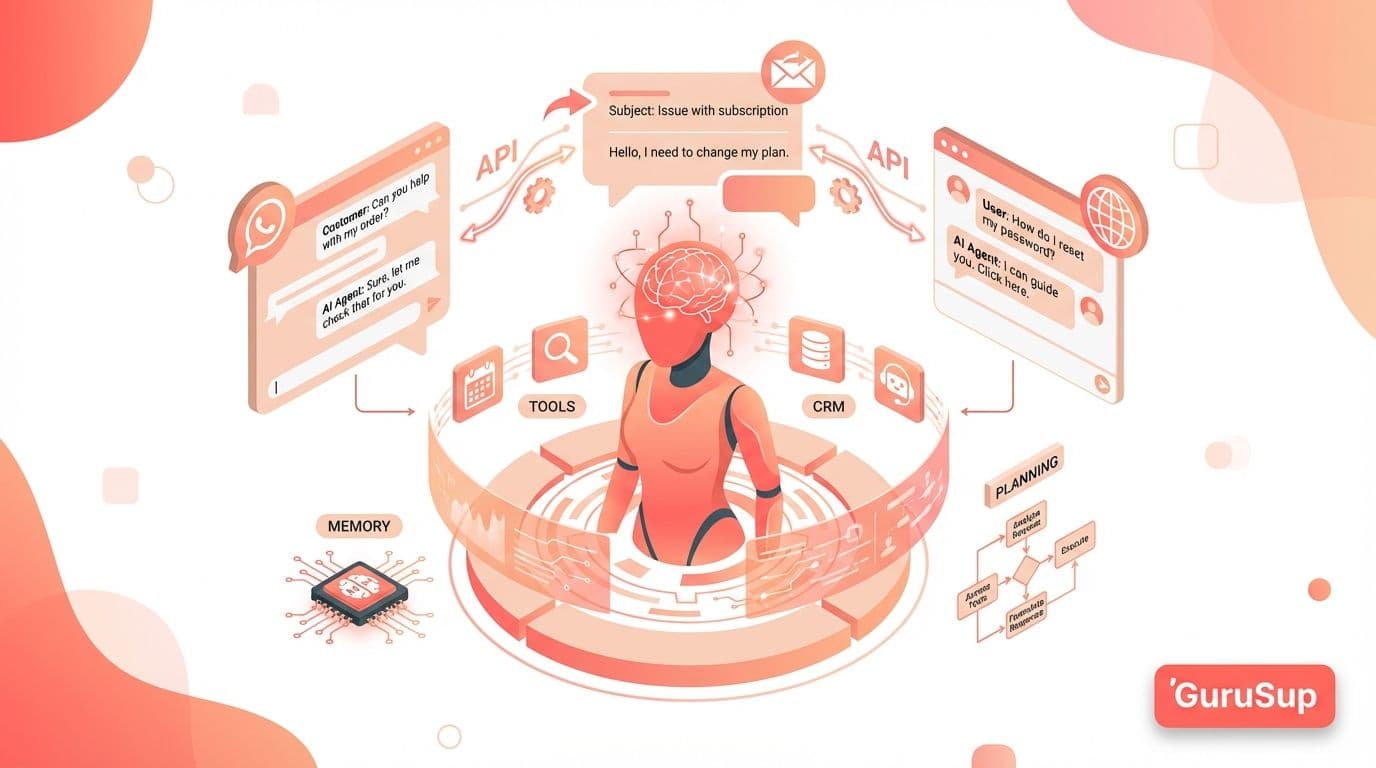
How to Build an AI Agent with n8n: Step-by-Step Guide
Complete guide to building an AI agent with n8n. From Docker installation to production deployment with RAG and tool integration.

Updated: April 23, 2026

Table of contents
n8n is an open-source automation platform that lets you build AI agents connected to 400+ integrations. Unlike SaaS solutions, you can self-host it on your own server at zero subscription cost. This guide walks you through building a functional AI agent with n8n step by step.
What is n8n and why use it for AI agents?
n8n is a visual, programmable workflow orchestrator. Its open-source model gives you full control over your data and automation flows. For AI agents, this means:
- Connect any LLM (OpenAI, Claude, Gemini, Llama) to external logic
- Access databases, CRMs, APIs, and messaging services
- Execute conditional workflows based on model responses
- Free self-hosting , you only pay for server infrastructure
The key advantage over closed platforms: you don't depend on third parties to scale or modify your agent.
Prerequisites
- A server with Docker (VPS, AWS EC2, or your local machine)
- An API key from an LLM provider (OpenAI, Anthropic, Google AI)
- Basic knowledge of REST APIs and JSON
Step 1: install n8n with docker
The fastest way to get n8n running:
docker run -it --rm \
 --name n8n \
 -p 5678:5678 \
 -v n8n_data:/home/node/.n8n \
 docker.n8n.io/n8nio/n8n
Access https://n8n.io and create your admin account.
Step 2: Create the agent workflow
An AI agent in n8n consists of three main blocks:
- Trigger , the event that starts the flow (webhook, chat message, cron)
- AI Agent node , the brain that processes input with an LLM
- Tool nodes , tools the agent can invoke (HTTP, database, email)
Configure the AI Agent node
In the visual editor:
- Drag a
Chat Triggernode as the entry point - Connect it to an
AI Agentnode - Select your model (e.g., GPT-5.4, Claude Sonnet 4.6)
- Define the system prompt describing the agent's role and instructions
- Add the tools the agent can use as sub-nodes
System prompt example
You are a technical support assistant for [company].
You answer questions using the internal knowledge base.
If you can't find the answer, escalate to the human team.
Always respond concisely.
Step 3: Connect tools to the agent
The real power of n8n lies in the tools the agent can invoke:
- HTTP Request , query external APIs or your backend
- Postgres/MySQL , search your database
- Vector Store , semantic search in documents (RAG)
- Send Email , send notifications or replies
- Slack/WhatsApp , respond in messaging channels
Each tool is configured as a node connected to the AI Agent. The model decides when and how to use each one based on conversation context.
Step 4: implement RAG (Retrieval-Augmented generation)
To make your agent respond with up-to-date company information:
- Upload your documents (PDFs, web pages, FAQs) to a Vector Store (Pinecone, Qdrant, or n8n's built-in)
- Configure a
Vector Store Toolnode connected to the AI Agent - The agent will automatically search for relevant context before responding
This eliminates hallucinations and keeps responses aligned with your actual documentation.
Step 5: Deploy to production
For a robust deployment:
- Docker Compose with persistent volumes for data
- Reverse proxy (Nginx/Caddy) with SSL for HTTPS
- Environment variables for API keys and credentials
- Monitoring with health checks and alerts
# docker-compose.yml
version: '3.8'
services:
 n8n:
 image: docker.n8n.io/n8nio/n8n
 restart: always
 ports:
 - '5678:5678'
 environment:
 - N8N_BASIC_AUTH_ACTIVE=true
 - N8N_BASIC_AUTH_USER=admin
 - N8N_BASIC_AUTH_PASSWORD=${N8N_PASSWORD}
 volumes:
 - n8n_data:/home/node/.n8n
volumes:
 n8n_data:
Limitations to consider
- Own infrastructure , you need to maintain the server and updates
- No enterprise support in the community version (available in n8n Cloud)
- Learning curve — complex workflows require technical knowledge
- No native chat interface — you need to integrate with WhatsApp, Slack, or your own frontend
n8n vs alternatives
When to choose n8n over other options?
- vs Zapier/Make: n8n is free (self-hosted), more flexible, but requires more technical setup
- vs LangChain: n8n offers a visual interface without needing to code in Python
- vs SaaS agent platforms: full control over data and costs, but no included support
For technical teams seeking full control without third-party dependency, n8n is the most powerful option. If you prefer a managed solution, consider alternatives with enterprise support.
Conclusion
Building an AI agent with n8n is viable for technical teams that want full control. The basic flow: install n8n → create workflow with AI Agent → connect tools → implement RAG → deploy. The main investment is configuration time, not software licenses.
If your team lacks the technical capacity for self-hosting, solutions like GuruSup offer preconfigured AI agents with enterprise support included.